


A good follow-up often starts with a look at what came before. Maybe you’re talking through a lab result, checking a specialist’s recommendations, or revisiting a document your patient shared. Those details help you give the conversation the attention it deserves.
Now, you can find and review a patient’s attachments, lab results, and faxes together in Atlas.md Mobile. The new files view brings them into one list within the patient’s profile, putting more of their record within reach whenever you’re working from your phone.
Review and Update Patient Files From Your Phone
Whether you’re preparing for a visit or checking a detail during a call, you have a patient-specific place to browse the paperwork. Each entry shows its source, name, and date, helping you recognize the document you want before opening it.
- Catch up on what’s recent with a newest-first list that makes the patient’s latest files easy to spot.
- Take the conversation into the details by opening an attachment’s preview to read it through or downloading a copy when you need one.
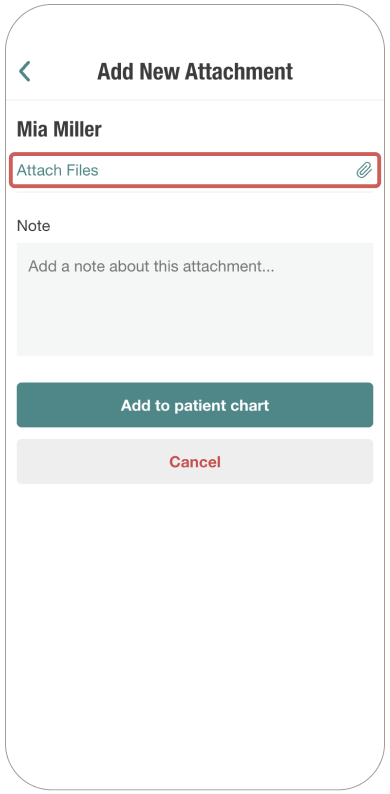
- Keep the record up to date as you go by adding an attachment directly from Files, where it appears at the top of the list for your next review.
For more information on how this feature works, check out our support article. And if you have any questions, please don’t hesitate to drop us a line at support@atlas.md.